The "Pre-Count" mode allows for communities to gather Known Locations of people experiencing homelessness while also supporting trainings of the Counting Us app by enabling surveyors to submit surveys that will be ignored from the results from the actual event.
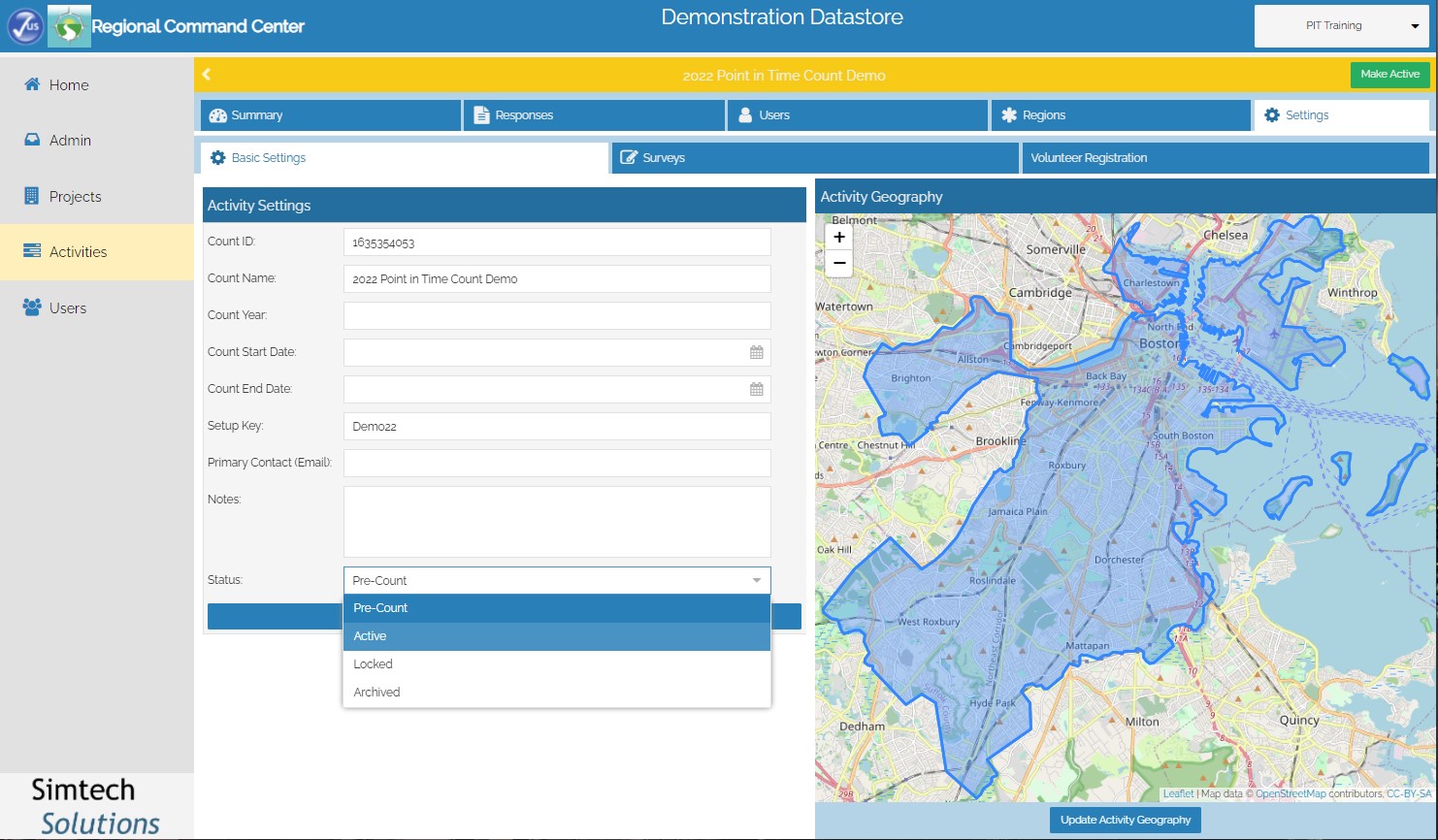
The Count Status can be managed on the Settings tab in the top right corner, and use the dropdown highlighted below to change the Status of the activity. The available Status options are Pre-Count, Active, Locked, and Archived. When the activity status is set to Pre-Count, the bar at the top of the Command Center will be yellow and will display a green "Make Active" button for when it is time to go live. Users of the Counting Us app will also see a similar yellow bar on the top of the Survey Selection screen that lets them know that the Count Activity is in Pre-Count mode.
 |
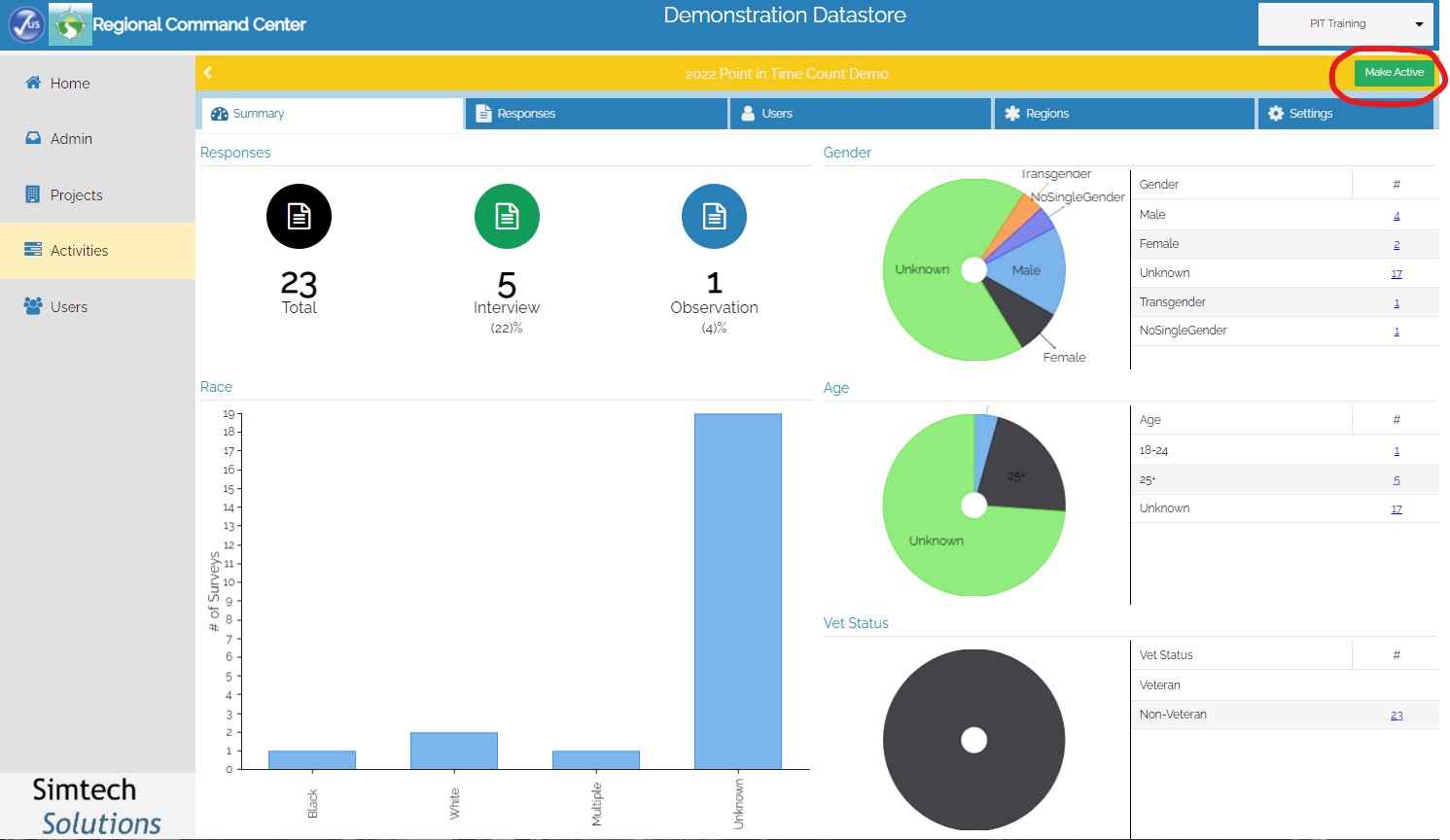
Immediately prior to conducting the Point in Time Count, the Count Administrator must log into the Command Center and change the status from Pre-Count to Active. A green bar will be displayed once this change has been made. The Count Admin can also click on the Make Active icon shown below to perform this step. Since the Known Location Survey is intended for count planning purposes, this survey will automatically be hidden to users once the count activity is made active.
 |
The data that is collected while an activity is in pre-count mode is separated from any data that is collected while in active mode. Therefore, when you switch to Active mode, the data entered during Pre-Count is hidden and unavailable, and is also excluded from all reports.
When you would like to stop accepting additional responses through Counting Us, Count Admins can update the status to Locked. Admins maintain access to data that has been submitted, and can proceed with data clean-up and reporting. Users attempting to submit surveys while the activity is locked are notified that submissions are not currently being accepted. Count Admins can switch back and forth between Active and Locked, as needed.
The Archived status can be used if you would like to disable the Count activity altogether. No data is deleted when a count activity is moved to Archive status, but no changes can be made to the data until it is moved back to Active or Pre-Count. The bar on top of the Command Center will be grey for archived count activities.