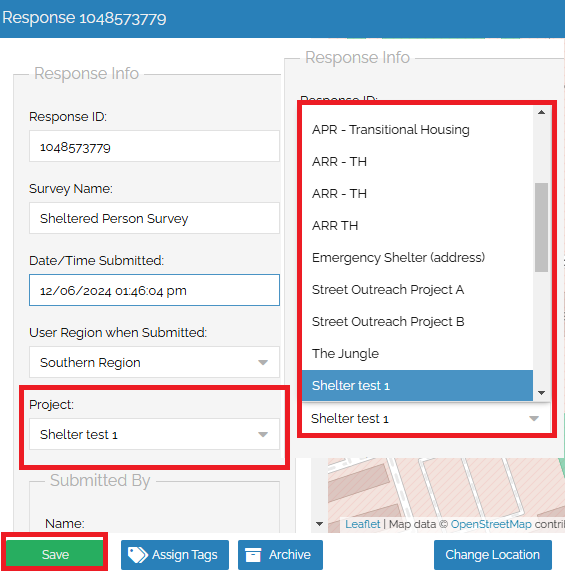
In the case that a mistake occurs in selecting the correct project for a Sheltered Survey, it is possible to change the project in the response once it is opened.
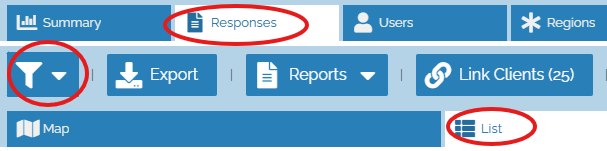
First, navigate to the Responses tab within the Command Center, select the List view, and click on the filter icon:
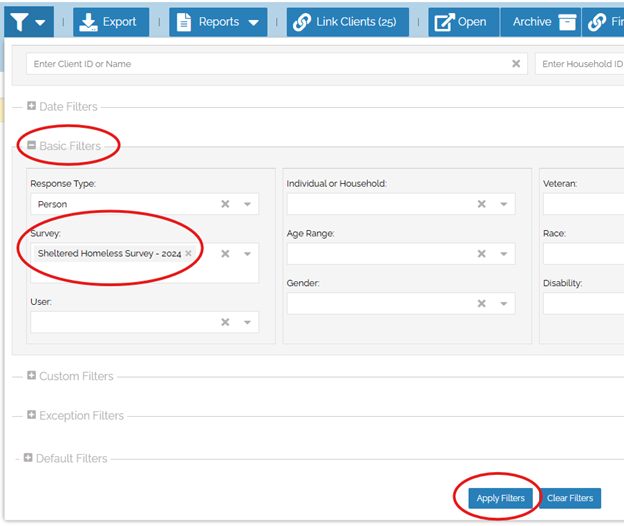
Second, open the Basic Settings by clicking on the “+” button to the left, select “Sheltered Homeless Survey”, then click “Apply Filters” at the bottom.
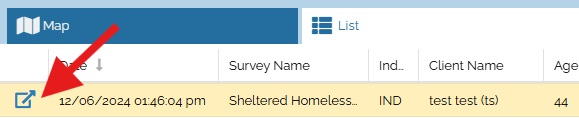
After you click Apply Filters, the list of responses will be limited to only Sheltered Surveys. Find the survey(s) you need to change from within the list, and click on the Open Survey button to the left of the survey:
Next, select the correct project from the drop-down options under the Project section. Once you have chosen the correct project, click the green Save button at the bottom left.